 MealSaid
How to log food on iPhone without opening an app (Siri, Lock Screen, widget)
Three ways to log a meal on iPhone in one sentence or one tap, step by step with MealSaid, plus what Shortcuts can and cannot do with four other calorie apps.
On this page
- Why does it matter whether the app opens?
- How do I log with Siri and MealSaid?
- How do I set up the Lock Screen control?
- How do I add the Home Screen widget?
- Which route is fastest?
- What can Shortcuts and Siri do with other calorie apps?
- Can I build my own Siri shortcut for an app that has none?
- Where MealSaid does not fit
- How I checked this
You can log a meal on an iPhone without opening any app by saying "Hey Siri, log in MealSaid, two eggs and toast." The entry lands in Apple Health with calories and macros while your phone stays locked. The Lock Screen control and the Home Screen widget are one tap each, but they open the app (already listening), so they are a close second.
Checked 20 October 2026 on my iPhone running iOS 26. I built MealSaid, so read the competitor section as "what I could find in their docs", not a hands-on test of each one.
Why does it matter whether the app opens?
Because opening a tracker is the step people skip. Every tap between "I just ate" and "it is logged" is a chance to decide you will do it later, and later is usually never. A stopwatch comparison across six apps is coming as its own post; this one is about the routes.
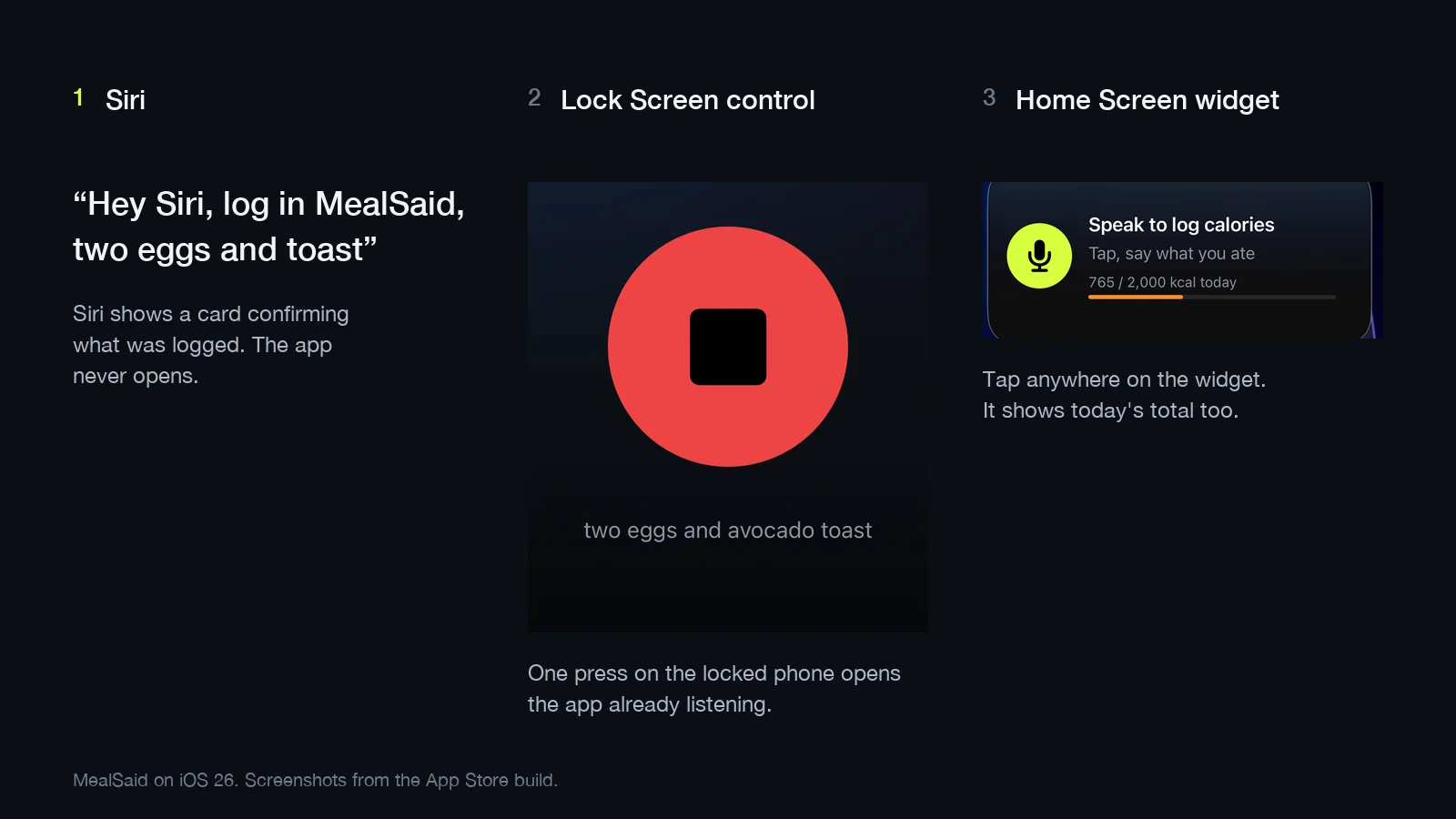
How do I log with Siri and MealSaid?
Say "Hey Siri, log in MealSaid, two eggs and toast" and let go. Siri shows a card confirming what was logged. The app does not open.
The phrase has three parts, and only the middle one is fixed:
- "Hey Siri" (or hold the side button).
- "log in MealSaid" or "tell MealSaid". Apple requires the app name in third-party Siri phrases; its own guide says you run a shortcut by saying its name (Apple Support). Not our rule.
- What you ate, in plain words. "Two eggs and toast." "Chicken burrito from Chipotle, no rice." "Did chest for 45 minutes" logs a workout instead.
Your words go to our server, a language model turns them into entries with calories, protein, carbs, fat and fiber, and those are written to Apple Health. About a second. Say when ("this morning at 8") and it is logged at that time.
Two honest limits. The Siri route needs an internet connection, because the understanding happens on our server, not on the phone. And it is English only.
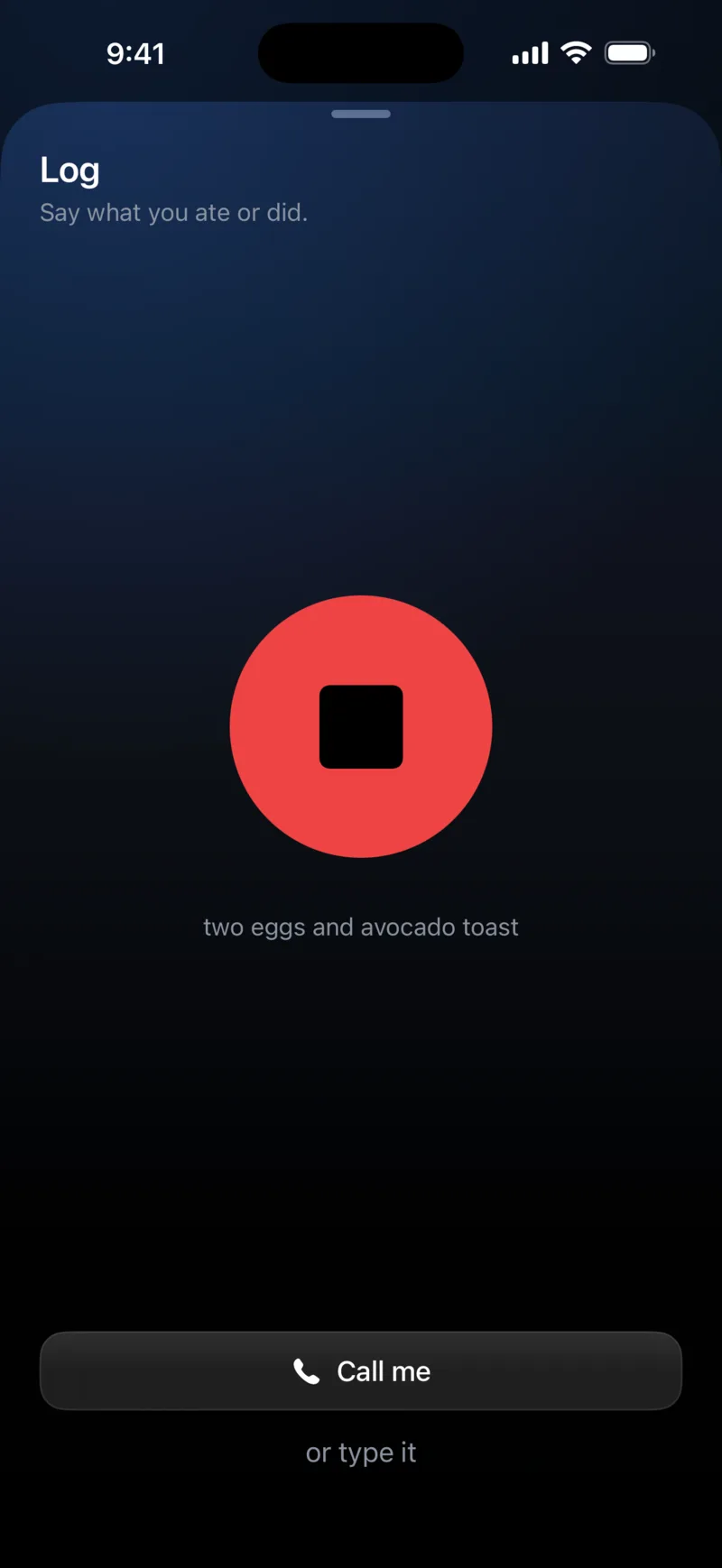
How do I set up the Lock Screen control?
Press and hold your Lock Screen, tap Customize, tap Lock Screen, tap the minus on the flashlight or camera control, then tap the plus and choose MealSaid. From then on it is one tap from the locked phone to a listening mic.
The steps as they appear on my phone, iOS 26:
- Wake the phone, do not unlock it. Press and hold on the Lock Screen until the gallery appears.
- Tap Customize under your current Lock Screen, then Lock Screen (not Home Screen).
- At the bottom you see two controls, flashlight and camera by default. Tap the minus on the one you use less.
- Tap the plus that replaces it. Scroll or search for MealSaid and pick the control.
- Tap Done, top right.
Apple documents the flow under Create a custom Lock Screen. Third-party controls exist since iOS 18, so any app that ships one can live here.
Press and hold the control, the same firm press the flashlight needs. The phone unlocks with Face ID, the app opens straight into the listening screen, and you talk.
The MealSaid control opens the app rather than recording from the Lock Screen, so this route is one press plus speaking, with no searching.
How do I add the Home Screen widget?
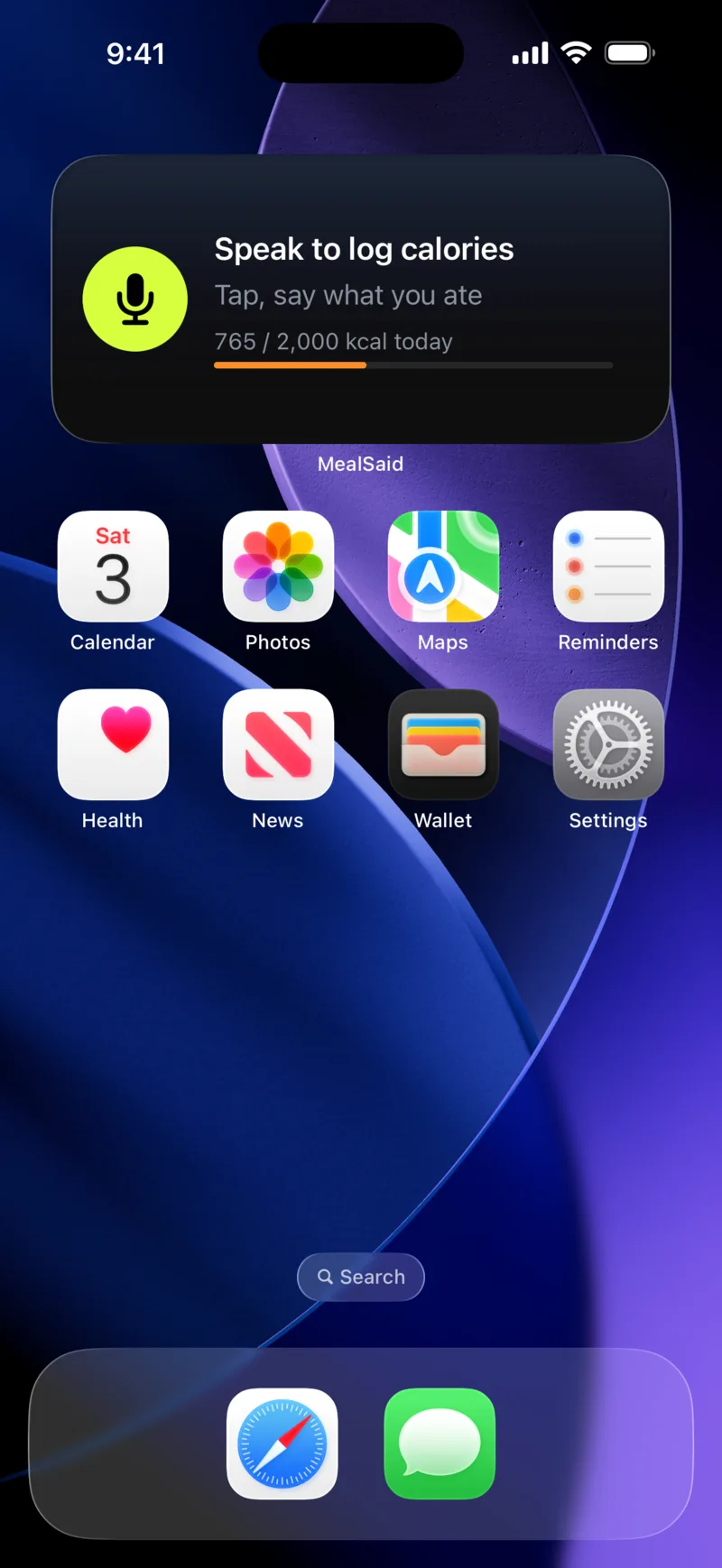
Press and hold an empty spot on the Home Screen, tap Edit, tap Add Widget, search MealSaid, and add the medium one. Tapping it opens the app already listening and shows today's calories against your target.
Apple's steps are at Add, edit, and remove widgets. The MealSaid widget shows a mic button, today's total and a progress bar. Tap anywhere on it.
Which route I use depends on where I am:
- The widget is my route at home, where the phone is unlocked on the table.
- Siri is for cooking or driving.
- The Lock Screen control is for the gym.
Which route is fastest?
Siri, because nothing opens and there is nothing to tap. The other two routes cost one tap plus whatever you say.
| Route | Taps before you speak | What opens | Works with the phone locked |
|---|---|---|---|
| "Hey Siri, log in MealSaid, two eggs and toast" | 0 | Nothing (Siri card) | Yes |
| Lock Screen control, then speak | 1 press plus Face ID | MealSaid, listening | Press works locked, app unlocks |
| Home Screen widget, then speak | 1 | MealSaid, listening | No, phone must be unlocked |
| Open the app, tap plus, tap mic, speak | 3 | MealSaid | No |
What can Shortcuts and Siri do with other calorie apps?
Less than you would hope, and the useful bits are mostly paid. The pattern across the big apps is: voice logging exists, but as a button inside the app, behind the subscription.
| App | Siri phrase that logs food with the app closed | Voice logging inside the app | Paid? | Source |
|---|---|---|---|---|
| MyFitnessPal | None I could find | Yes, Voice Log, reached from the app's navigation bar | Premium only | PR Newswire, Dec 11 2024 |
| Lose It! | Not documented | Yes, "Say It!" voice logging | Premium only | App Store listing |
| Cronometer | Yes, "Log food in Cronometer", app stays closed; Siri asks which foods | Yes | Gold only | Cronometer support |
| MacrosFirst | Yes, "Hey Siri" phrases for food, water, weight; food logging may open the app to finish | Yes | Log Food via Siri needs Premium; water and weight are free | MacrosFirst help |
| MealSaid | Yes, "log in MealSaid" plus what you ate, app stays closed | Yes | Free, no in-app purchases | This post |
App by app, from their own pages:
- MyFitnessPal's announcement calls Voice Log "available to Premium members" and says you reach it from the app's navigation bar, so the app is open before you speak.
- Lose It's listing puts "Say It!" in its Premium plan.
- MacrosFirst is the most Shortcuts-friendly: its help page says to "say 'Hey Siri…' followed by one of the phrases below", and water and weight finish inside Siri; food is Premium and may hand off to the app.
- Cronometer is the closest to our route: its doc says Gold users can "log foods using Siri without having to open the app", by saying "Log food in Cronometer" and then answering Siri's question about food, serving size and diary group. Free users do not get it.
Can I build my own Siri shortcut for an app that has none?
You can build a shortcut that opens the app and dictates text, but you cannot make it save an entry unless the app exposes a "log food" action to Shortcuts. Most do not.
In the Shortcuts app, tap Add Action and look under the app's name. If it lists a "Log Food" action with a text field, chain Dictate Text into it and name the shortcut something you can say. If it only lists "Open MyFitnessPal", opening it is all Siri can do.
The fallback for any app is Apple's keyboard dictation: open the search screen, tap the mic on the keyboard, say the food, pick the match by hand. Not hands-free, but no typing.
Where MealSaid does not fit
MealSaid is for people who log by talking; if you weigh everything, pick a database app.
- No barcode scanner, no photo logging and no food database to browse.
- It estimates from what you said, checked against USDA values for common foods, and the estimate can be off; tap the entry to fix a number.
- It needs iOS 26, is English only, and has no Android version.
If you weigh everything and want gram-level control, Cronometer or MacroFactor will serve you better.
How I checked this
Checked 20 October 2026. Siri, Lock Screen and widget steps were done on my iPhone on iOS 26 with MealSaid 1.0.1 from the App Store, following each route from a locked phone and confirming the entry in Health > Browse > Nutrition. Competitor facts come from the linked pages (PR Newswire release of 11 December 2024, Lose It App Store listing, MacrosFirst and Cronometer help centers; Cronometer's article was last updated about three months before I read it), all opened the same day.
I did not install the competitors for this post; the timed comparison is the next one, with a CSV. If a link above says something different by the time you read it, email me at ohmbrock42@gmail.com and I will correct it.
Questions
Can Siri log food without saying the app name?
No. Apple requires third-party Siri phrases to include the app name, so you say "log in MealSaid" or "in Lose It". Only Apple's own apps get name-free phrases.
Does the Siri phrase work when my iPhone is locked?
Yes with MealSaid. The entry is created in the background and written to Apple Health. You see a confirmation card from Siri and nothing opens.
Does MyFitnessPal have a Siri shortcut for logging a meal?
Not that I could find. MyFitnessPal's Voice Log is a button inside the app, and it is Premium only. You have to open the app first.
Why is the Lock Screen control missing on my iPhone?
Controls for third-party apps need iOS 18 or later, and the app has to be installed and opened once. MealSaid needs iOS 26 anyway, so on a supported phone it should appear in the control picker under the app name.
Does any of this work on Android?
No. MealSaid is iPhone only, English only, and needs iOS 26. The Shortcuts notes below are iPhone only too.